
Many restaurant owners delay upgrading to a cloud POS system because they worry about one thing: staff training.
They imagine employees struggling with technology, making mistakes on screens, or needing weeks of expensive training before they can take orders efficiently. For businesses that have relied on paper tickets, handwritten order pads, calculators, and manual cash tracking for years, switching to software can feel intimidating.
But the reality is often the exact opposite.
Modern cloud-based restaurant POS systems are designed specifically for speed, simplicity, and ease of use. In fact, for most employees, learning a modern POS system takes less time than learning a restaurant’s menu.
If your staff can send messages on WhatsApp, browse Facebook, watch videos on TikTok, or use a basic smartphone, they can almost certainly use a modern POS.
The biggest surprise for many restaurant owners is that moving away from pen and paper actually makes the job easier for employees, reduces stress during busy periods, and minimizes costly mistakes.
Let’s explore why the switch often takes less than 15 minutes and why staff frequently prefer a cloud POS after only a few shifts.
Why Restaurant Staff Adapt Faster Than Owners Expect
Many restaurant owners remember older POS systems from years ago.
Those systems often required:
- Complicated keyboards
- Function key shortcuts
- Cryptic menu codes
- Extensive training manuals
- Multiple screens to complete a single task
Today’s cloud POS systems are completely different.
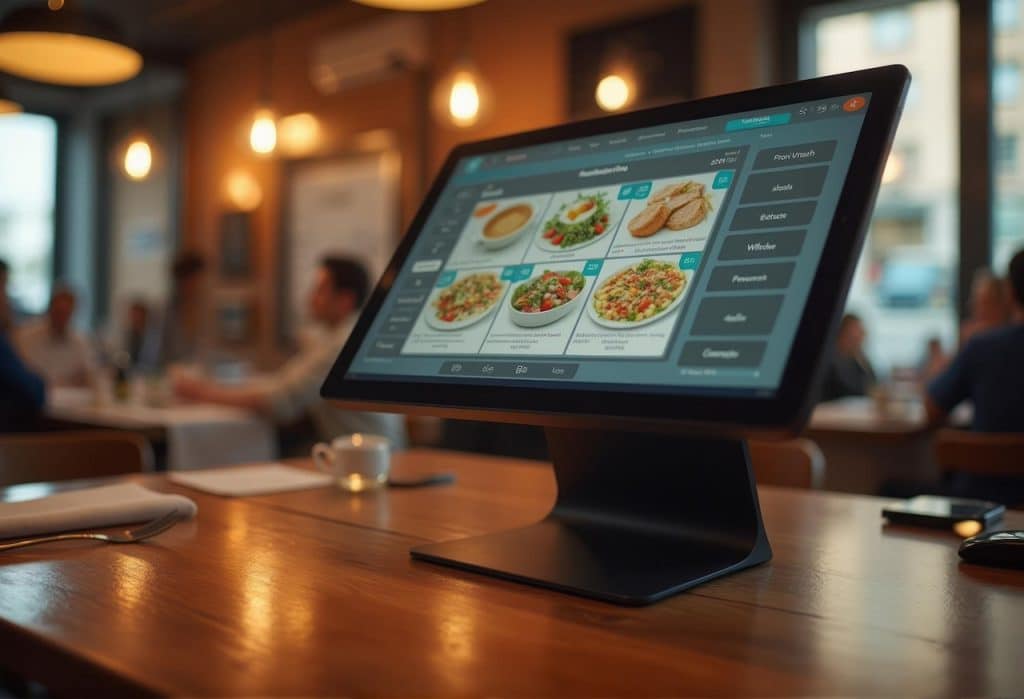
Modern POS platforms are built with user experience in mind. The interfaces resemble the apps people use every day on smartphones and tablets.
Employees already understand:
- Touchscreens
- Icons
- Photos
- Swipe gestures
- Large buttons
- Search functions
This familiarity dramatically reduces the learning curve.
For a new employee, tapping a picture of a cappuccino is often easier than remembering menu item numbers or writing drink orders by hand.
Instead of learning a technology system from scratch, employees are simply applying skills they already use daily.
The Problem with Pen and Paper
Many owners believe paper is simpler because it doesn’t require technology.
However, paper-based ordering systems create numerous hidden complexities.
Employees must:
- Write quickly and legibly
- Remember menu abbreviations
- Calculate totals manually
- Interpret messy handwriting
- Track modifications
- Communicate orders verbally
- Re-enter information into accounting records
- Count inventory manually
Each step creates opportunities for mistakes.
During a lunch rush, a handwritten ticket can become difficult to read.
A customer requests:
“One turkey sandwich, no onions, extra cheese, side salad instead of fries.”
A rushed employee writes a shorthand note.
The kitchen misunderstands it.
The wrong meal is prepared.
Food is wasted.
The customer waits longer.
The restaurant loses money.
With a cloud POS, modifications are selected with a single tap, ensuring the kitchen receives clear instructions instantly.
Visual Menu Buttons Eliminate Guesswork
One of the most powerful features of modern POS systems is visual menu navigation.
Instead of typing product codes or searching through lists, staff can simply tap images.
Imagine a bakery with:
- Croissants
- Muffins
- Donuts
- Cinnamon rolls
- Cupcakes
- Cheesecakes
- Specialty pastries
Rather than memorizing item numbers, employees can see product images directly on the screen.
A new employee can identify products immediately.
This creates several benefits:
- Faster training
- Fewer mistakes
- Faster order entry
- Increased confidence
- Reduced stress
Visual menus are particularly valuable in businesses with large product catalogs such as:
- Bakeries
- Cake shops
- Cafés
- Ice cream shops
- Bubble tea stores
- Quick-service restaurants
Instead of relying on memory, employees rely on visual recognition.
Breaking Language Barriers
Restaurants often employ multicultural teams.
In many operations, staff members speak different primary languages.
Paper systems can create communication challenges because employees must understand handwritten notes, abbreviations, and verbal instructions.
A cloud POS helps reduce these barriers.
Visual product buttons allow staff to identify menu items through pictures rather than text alone.
Kitchen tickets can print standardized item names and modifiers automatically.
This creates a consistent communication system between:
- Cashiers
- Servers
- Kitchen staff
- Managers
Everyone sees the same information presented clearly.
This consistency improves operational efficiency and reduces misunderstandings.
Literacy Challenges Become Less Significant
Not every employee learns in the same way.
Some workers excel with visual information rather than written instructions.
Picture-based POS systems help employees navigate tasks using images and intuitive layouts.
For example:
A bakery cashier can simply tap:
- Chocolate cake
- Red velvet cake
- Vanilla cupcake
- Blueberry muffin
without needing to remember codes or write detailed notes.
Visual workflows allow staff to focus on customer service rather than paperwork.
This makes onboarding significantly easier.
New Employees Become Productive Faster
Hiring and training are expensive.
Every day spent training an employee is a day of labor cost before full productivity.
With paper systems, training often includes:
- Menu memorization
- Ticket writing procedures
- Pricing references
- Calculator use
- Cash handling procedures
- Order communication methods
A modern cloud POS automates many of these tasks.
Prices are already programmed.
Taxes calculate automatically.
Discounts apply automatically.
Menu modifications are pre-configured.
Payment totals appear instantly.
As a result, new employees can begin serving customers much sooner.
Many restaurants report that staff become comfortable with a cloud POS after only one or two shifts.
Touchscreens Reduce Errors During Busy Rushes
Stress increases mistakes.
When a restaurant becomes busy, handwritten systems become vulnerable.
Employees may:
- Forget modifiers
- Miscalculate totals
- Lose tickets
- Misread handwriting
- Skip important details
Touchscreen ordering simplifies the process.
Instead of writing:
“Large latte, oat milk, extra shot”
an employee taps:
- Latte
- Large
- Oat milk
- Extra shot
The system records the information exactly as entered.
No handwriting interpretation is required.
No verbal clarification is needed.
The order reaches the kitchen accurately.
Staff Gain Confidence Faster
One overlooked benefit of cloud POS systems is employee confidence.
New workers often feel nervous about making mistakes.
When employees use paper systems, they may worry about:
- Incorrect pricing
- Math errors
- Forgetting modifiers
- Losing tickets
A cloud POS acts as a guide.
The system walks employees through the ordering process.
Many interfaces are intentionally designed to be self-explanatory.
This support helps workers gain confidence more quickly.
Confident employees tend to:
- Provide better customer service
- Work faster
- Stay longer with the business
- Make fewer mistakes
Managers Spend Less Time Training
Restaurant managers are already busy.
Training employees repeatedly on paper processes consumes valuable time.
Cloud POS systems simplify onboarding because much of the knowledge is built into the software.
Instead of explaining:
- Tax calculations
- Menu pricing
- Discount rules
- Combo pricing
the system handles these automatically.
Managers can focus on:
- Customer service
- Food quality
- Team development
- Operational improvement
rather than explaining manual calculations.
The Smartphone Generation Is Already Prepared
Today’s workforce grew up using smartphones.
Many younger employees spend several hours daily interacting with mobile applications.
Using a touchscreen POS feels natural because it mirrors experiences they already understand.
Think about the actions employees perform every day:
- Tapping icons
- Opening apps
- Searching products online
- Sending messages
- Uploading photos
- Completing digital payments
A cloud POS uses many of these same interaction patterns.
The technology feels familiar rather than intimidating.
Order Accuracy Improves Immediately
Order accuracy directly affects profitability.
Mistakes result in:
- Remakes
- Food waste
- Customer complaints
- Slower service
- Reduced profits
Because cloud POS systems standardize order entry, they dramatically reduce common errors.
Instead of relying on memory or handwriting, the system creates a structured workflow.
Employees simply follow the prompts on the screen.
This consistency improves accuracy across every shift.
Staff Can Learn Anywhere
Cloud-based systems offer another major advantage.
Training can happen on virtually any internet-connected device.
Managers can:
- Demonstrate functions on a tablet
- Train staff remotely
- Practice on a smartphone
- Review procedures outside business hours
Unlike older systems that required dedicated hardware, cloud POS platforms are highly accessible.
This flexibility speeds up onboarding and reduces disruption.
The Customer Experience Improves Too
Customers notice when ordering feels smooth.
When employees struggle with paper systems, customers may experience:
- Long wait times
- Repeated questions
- Pricing confusion
- Order mistakes
Cloud POS systems streamline interactions.
Orders move faster.
Payments process faster.
Receipts generate instantly.
Customers receive a more professional experience.
This efficiency can improve customer satisfaction and encourage repeat visits.
The Real 15-Minute Test
A simple exercise demonstrates how intuitive modern POS systems have become.
Take a new employee and show them:
- How to start an order
- How to select menu items
- How to add modifiers
- How to process payment
- How to print a receipt
For many cloud POS platforms, this introduction takes approximately 15 minutes.
After a few practice transactions, most employees can complete orders independently.
Compare this with teaching:
- Ticket abbreviations
- Manual calculations
- Menu codes
- Paper filing procedures
- End-of-day reconciliation
The cloud POS often wins for simplicity.
Why Employees Usually Prefer the POS After Switching
Many owners fear employee resistance.
However, after using a cloud POS for several shifts, staff often prefer it.
Why?
Because it removes frustration.
Employees no longer need to:
- Perform manual calculations
- Decode handwriting
- Memorize item numbers
- Rewrite tickets
- Double-check pricing
The software handles repetitive administrative tasks automatically.
Workers can focus on serving customers and delivering great experiences.
That makes their jobs easier.
The Future of Restaurant Operations Is Simplicity
The best technology is technology that feels invisible.
Modern cloud POS systems succeed because they simplify work rather than complicate it.
They replace stacks of paper with clear visual workflows.
They replace handwritten notes with structured digital orders.
They replace manual calculations with automation.
Most importantly, they reduce the stress employees experience during busy service periods.
If your team can use WhatsApp, Facebook, Instagram, or any basic smartphone application, they already possess the skills needed to operate a modern cloud POS.
The transition is often far faster and easier than restaurant owners expect.
In many cases, the biggest challenge isn’t teaching employees how to use the system.
It’s convincing owners that pen and paper is actually the more complicated option.
A modern cloud POS doesn’t require weeks of training, advanced technical knowledge, or specialized computer skills. It simply provides an intuitive touchscreen interface that helps employees work faster, make fewer mistakes, and deliver better customer service. For restaurants, bakeries, cafés, food trucks, and pastry shops looking to modernize operations, the switch can be measured not in months or weeks—but in minutes.


