
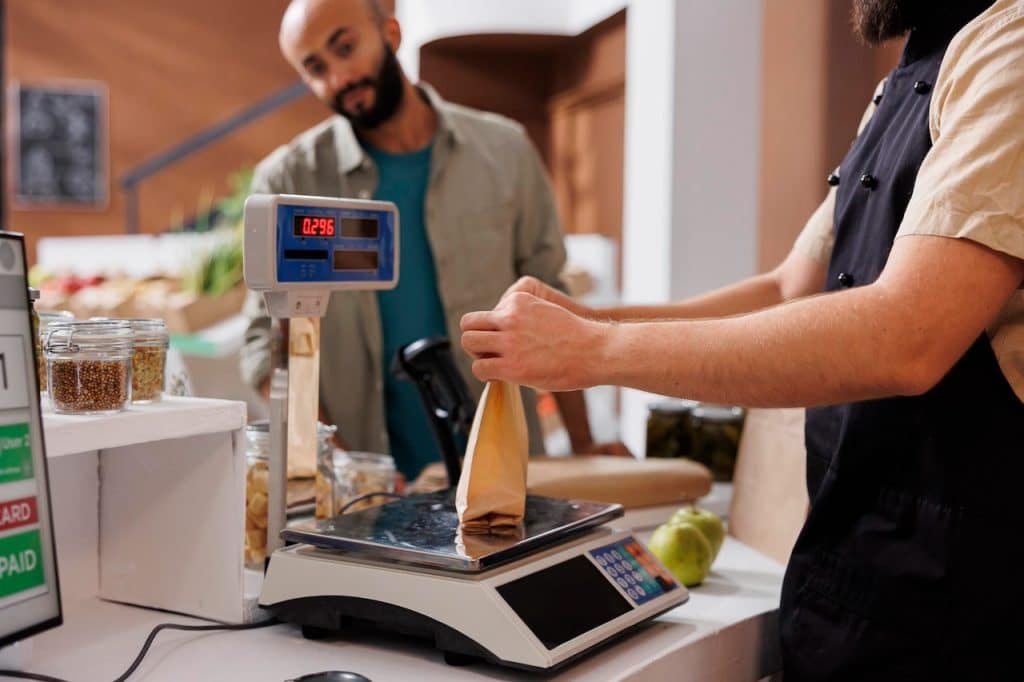
Getting a restaurant POS system with scale integration is a smart move if you sell items by weight—like buffet food, salad bars, deli meats, seafood, baked goods, or even self-serve concepts. But it’s not as simple as just buying a POS and a scale—they need to communicate correctly.
Below is a complete, practical guide that walks you through how to choose, set up, and successfully run a POS with scale integration.
What “Scale Integration” Actually Means
Scale integration is when your weighing scale connects directly to your POS so the system automatically receives weight and calculates price—no manual entry needed.
- The scale measures the weight
- The POS receives that weight instantly
- The POS calculates total price based on price per lb/kg
- The item is added to the order automatically
This eliminates human error and speeds up checkout significantly
Why Restaurants Need POS + Scale Integration
Common use cases
- Buffets and self-serve restaurants
- Salad bars and poke bowls
- Bakeries (pastries sold by weight)
- Butcher-style restaurants
- Cafeterias and food halls
Key benefits
- Faster checkout times
- Accurate pricing (no guessing or manual typing)
- Reduced shrinkage and fraud
- Better inventory tracking
- Cleaner customer receipts (weight + price shown clearly)
A properly integrated setup ensures every ounce is accounted for, which is critical in low-margin food businesses
Step 1: Choose a POS That Supports Scale Integration
Not every POS supports scales—this is where most people make mistakes.
POS systems known to support scale integration
Here are examples you should look into:
- NCR Aloha POS
- Supports scales like Mettler Toledo and CAS
- Designed for restaurants and high-volume operations
- Includes tare weight, rounding, and compliance features
- Total Touch POS
- NTEP-certified for weighing transactions
- Works with commercial scales like CAS PDII
- Retail-style hybrid POS (for deli + restaurant concepts)
- Systems like RMH or grocery POS platforms
- Strong for mixed restaurant + retail operations
Important tip
Some popular POS systems (like Square or Toast) don’t natively support direct scale integration—they often rely on:
- Barcode label scales
- Third-party apps
- Workarounds (less ideal)
Step 2: Decide the Type of Scale Setup
There are three main ways to integrate a scale:
1. Direct Integrated Scale (Best Option)
How it works
- Scale connects directly to POS (USB, serial, or Ethernet)
- Weight flows automatically into the POS screen
Pros
- Fastest checkout
- Fully automated
- Most accurate
Cons
- Requires compatible POS + scale
- More setup involved
2. Barcode Label Scale (Most Common in Restaurants)
How it works
- Scale prints a barcode label with:
- Weight
- Price
- POS scans the barcode
Pros
- Works with almost any POS
- Easy to implement
- Great for pre-packaged items
Cons
- Slightly slower than direct integration
- Requires label printing
👉 This is the most practical solution for many restaurants.
3. Non-Integrated Scale (Manual or QR Workflow)
How it works
- Scale is separate
- Staff manually enters weight OR scans a QR code
Example: Some systems allow scanning QR codes generated by scales instead of direct integration
Pros
- Cheapest setup
- No compatibility issues
Cons
- Slow
- Error-prone
- Not scalable
Step 3: Choose the Right Scale Hardware
Your scale must be POS-compatible and legal for trade.
Key requirements
1. NTEP Certification (VERY important)
- Required in the U.S. for selling by weight
- Ensures legal compliance
2. Compatible brands
Common POS-compatible scale brands include:
- Mettler Toledo
- CAS
- NCI
- Bizerba
- Dibal
(Some POS systems only support specific models)
3. Connection types
Your scale must match your POS connection method:
- USB (easy setup)
- Serial (RS-232) (most common in commercial setups)
- Ethernet (networked scales)
- Bluetooth (less common, more flexible)
POS systems typically use drivers like OPOS to communicate with scales
Step 4: Make Sure Your POS + Scale Are Compatible
This is the most critical step.
Ask your POS provider:
- “Which scale models do you support?”
- “Do you support direct integration or only barcode scales?”
- “Do I need middleware or drivers?”
Ask your scale vendor:
- “Does this scale support POS integration?”
- “What protocol does it use (OPOS, API, etc.)?”
Step 5: Set Up the Integration (Step-by-Step)
Here’s how a typical setup works:
1. Install the scale
- Place it at checkout
- Ensure stable surface
2. Connect to POS
- USB / Serial / Ethernet
3. Configure communication
- Set baud rate (for serial)
- Assign IP (for network scales)
4. Map items in POS
- Set price per pound/kg
- Enable “weight-based pricing”
5. Test transactions
- Weigh item
- Verify POS calculates price correctly
Step 6: Configure Key Features
A good setup should include:
Tare weight
Subtract container weight automatically (e.g., bowls, plates)
Auto-zero reset
Scale resets after each transaction
Stable weight detection
Prevents recording weight while item is moving
Receipt details
- Weight
- Unit price
- Total price
These are often required for compliance and accuracy
Step 7: Budget Considerations
Typical costs
POS system
- $0 – $150/month (software)
- $500 – $2,000 (hardware)
Scale
- Basic: $300 – $800
- Commercial integrated: $800 – $2,000+
- Label printing scale: $1,000 – $3,000
Installation
- DIY: free
- Professional setup: $200 – $1,000
Step 8: Common Mistakes to Avoid
1. Choosing a POS without scale support
Many restaurant POS systems don’t support scales—always verify first.
2. Ignoring compliance
If your scale isn’t NTEP-certified, you could face legal issues.
3. Mixing incompatible hardware
Not all scales work with all POS systems.
4. Overcomplicating setup
Sometimes a barcode scale is better than full integration.
5. Poor workflow design
Placement and process matter just as much as technology.
Best Setup by Business Type
Buffet / pay-by-weight
→ Direct integrated scale
Bakery / café
→ Barcode label scale
Butcher / deli restaurant
→ Label scale + POS scan
Hybrid grocery + restaurant
→ Full integration with advanced POS
Pro Tip: The Easiest Way to Get Started
If you want the simplest path:
👉 Choose a POS that supports barcode scanning
👉 Buy a label-printing scale
👉 Use barcode labels for weighed items
This avoids compatibility headaches and still gives you accuracy.
Final Thoughts
Getting a restaurant POS with scale integration isn’t just about hardware—it’s about choosing the right workflow for your business.
- If you want speed and automation → go fully integrated
- If you want flexibility and simplicity → use barcode scales
- If you’re just starting → avoid complex setups
The key is making sure your POS, scale, and workflow all align.


