
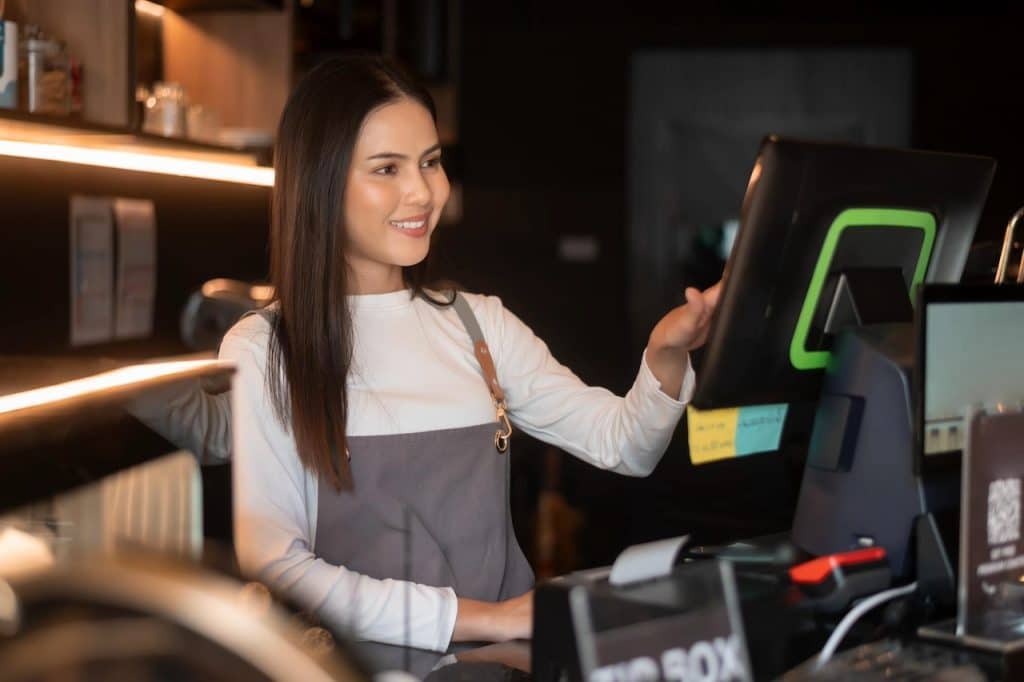
Soft Restaurant is a restaurant management and point-of-sale (POS) platform developed by National Soft. It is designed for restaurants, cafés, bars, quick-service outlets, and multi-location food businesses that need to manage orders, payments, inventory, employees, and sales from a central system. The product has a particularly strong presence in Mexico, where restaurant operators have used it for years to handle table service, counter sales, kitchen orders, cash registers, and back-office reporting. The company has also expanded into Latin American markets, adapting its offering to local business requirements and electronic invoicing rules. National Soft reported more than 40,000 customer businesses, over 600 distributors, and operations spanning Mexico and 11 other Latin American countries in a 2022 investment announcement. Its current official website reports that Soft Restaurant is used by more than 42,000 restaurants across 14 countries. These figures indicate substantial adoption, although they should not be confused with the number of individual restaurant branches, terminals, or paying software subscriptions.
For an owner evaluating restaurant software, the important questions are more specific: Which version fits the business? What does the subscription cost locally? Does it support the country’s tax rules? What equipment is required? And is a locally developed competitor a better investment? This guide examines Soft Restaurant’s principal versions, publicly listed prices, operating procedures, hardware requirements, customer examples, and alternatives across Latin America. Pricing and product availability can change, so restaurant owners should confirm the final quotation with the vendor or an authorized local distributor before purchasing.
Soft Restaurant’s Core Versions
Soft Restaurant has two principal product lines worth examining: Soft Restaurant 12, the traditional desktop-oriented product, and Soft Restaurant Cloud, the cloud-based service. They address overlapping restaurant needs but differ in deployment, device management, and subscription structure.
Soft Restaurant 12: LITE and PRO
Soft Restaurant 12 is intended for restaurants that want a dedicated POS environment with restaurant-specific sales and management functions. The official Mexican pricing page lists two editions.
| Plan | Monthly price in Mexico | Annual price in Mexico | Simultaneous devices |
|---|---|---|---|
| Soft Restaurant 12 LITE | MXN $799 + IVA | MXN $8,390 + IVA | Up to 2 |
| Soft Restaurant 12 PRO | MXN $1,099 + IVA | MXN $11,540 + IVA | Up to 10 |
LITE is a reasonable starting point for a small restaurant or café operating one primary till and a second connected device. PRO is more appropriate when the business needs additional simultaneous workstations, such as a main cashier, a second register, and other connected operational stations. The device limit is important. It does not necessarily mean that every workstation, kitchen screen, mobile terminal, or optional module is included in the subscription. Owners should ask which connected devices count toward the limit and whether kitchen displays, delivery integrations, reporting tools, or additional modules require separate charges. The annual prices offer a discount compared with paying the monthly rate for 12 months. However, the savings should be assessed against the cost of committing to a year, especially for a new restaurant that has not yet settled on its menu, service model, or staffing arrangements.
Soft Restaurant Cloud: LITE, PRO, and ENTERPRISE
Soft Restaurant Cloud is the more cloud-oriented option. Its official Mexican page lists the following monthly subscriptions:
| Cloud plan | Monthly price in Mexico | Devices | Best suited to |
|---|---|---|---|
| LITE | MXN $699 + IVA | 2 | Small cafés and restaurants |
| PRO | MXN $999 + IVA | 5 | Established single-location restaurants |
| ENTERPRISE | MXN $1,599 + IVA | 10 | Multi-location businesses |
The listed plans include different levels of device access, analytics, delivery integration, payment functionality, and invoicing. ENTERPRISE adds multi-location capabilities and consolidated management features. The Cloud product page also advertises 100 self-invoicing folios for LITE and PRO, with unlimited invoicing listed for ENTERPRISE; owners should confirm the precise meaning of those allowances and any applicable electronic-document charges.
Cloud can appeal to an owner who wants to consult business information remotely rather than relying exclusively on a workstation at the restaurant. It is also worth considering for operators who expect to expand, provided the subscription and integrations support their planned configuration. A cloud label does not automatically mean that every component works without internet access. Ask the vendor what happens to order entry, payment processing, kitchen tickets, reporting, and synchronization during an outage. A restaurant cannot afford to discover the limitations of its offline mode during a Friday dinner rush.
Soft Restaurant POS Pricing Across Mexico and Latin America
Pricing is one of the areas where restaurant owners need to distinguish between published national prices and distributor quotations. A Mexican subscription price should not automatically be converted into Colombian pesos, Peruvian soles, or Chilean pesos and treated as an official local offer. Tax rules, electronic invoicing, installation, hardware, support, and included services can differ by market. The following prices are published by Soft Restaurant’s local or official product pages, where available.
| Country | Currency | Published price | Notes |
|---|---|---|---|
| Mexico | Mexican peso (MXN) | Cloud: $699–$1,599/month + IVA | Three Cloud tiers |
| Mexico | MXN | Desktop: $799–$1,099/month + IVA | LITE and PRO |
| Colombia | Colombian peso (COP) | $220,000/month for LITE; $340,000/month for PRO | Local website pricing |
| Colombia | COP | $2,420,000/year for LITE; $3,740,000/year for PRO | Advertised annual prices |
| Peru | Peruvian sol (PEN) | Current local price should be confirmed | An older product page lists Soft Restaurant 10 prices in MXN and USD rather than PEN |
| Chile | Chilean peso (CLP) | Request a local quotation | Confirm current availability, tax integration, and subscription terms |
| Ecuador | US dollar (USD) | Request a local quotation | Confirm compatibility with Ecuador’s electronic invoicing requirements |
| Guatemala | Guatemalan quetzal (GTQ) | Request a local quotation | Confirm local support and invoicing arrangements |
| Costa Rica | Costa Rican colón (CRC) | Request a local quotation | Confirm electronic invoicing and local payment integrations |
| Panama | Panamanian balboa (PAB) / US dollar | Request a local quotation | Confirm local implementation and tax configuration |
Mexico’s current pricing is published on the official Soft Restaurant pricing page. Colombia’s local site publishes monthly and annual plans in COP.
The Peru website has information for Soft Restaurant 10, including legacy prices in Mexican pesos and an international USD price. That is not sufficient evidence to quote a current subscription in Peruvian soles for the newer product line.
For countries where a current local-currency price could not be verified, a quotation is the responsible recommendation. The vendor or distributor should confirm the local edition, taxes, supported fiscal documents, included devices, and renewal price in writing. A business should not budget on the assumption that a Mexican subscription will be available at the same exchange-rate-adjusted price in every country.
What Should a Restaurant Budget Beyond the Subscription?
The monthly license is only one part of the cost. A restaurant should budget for the following items separately unless the quotation explicitly includes them:
- Hardware: cashier computer or compatible terminal, monitor, receipt printer, kitchen printer, cash drawer, and network equipment.
- Implementation: menu configuration, product imports, tax setup, employee permissions, and initial testing.
- Optional modules: delivery integrations, mobile ordering, production displays, self-service kiosks, loyalty features, or additional reporting capabilities.
- Fiscal compliance: electronic invoice allowances, certified integrations, and any charges for additional documents.
- Payment processing: card-terminal rental or purchase, transaction fees, settlement terms, and any payment-specific subscription costs.
- Support and maintenance: installation visits, remote assistance, training, and service outside standard business hours.
Soft Restaurant’s Mexican site also advertises payment-terminal products priced at MXN $4,000 plus IVA for certain terminal options. Those hardware prices should be checked against the current model, connection method, payment agreement, and compatibility requirements.
Main Features of Soft Restaurant POS
Soft Restaurant’s feature set is designed around restaurant operations rather than generic retail checkout. The functions that matter most depend on the restaurant’s service model and how carefully management configures the system.
Table Management and Restaurant Orders
A restaurant can organize sales around a table map, service areas, and different order types. A full-service restaurant may use table assignments and open checks to manage orders while customers are still dining. A quick-service outlet can prioritize fast order entry and payment at the counter. For example, a server taking an order for tacos, drinks, and a side dish can enter the items into the POS rather than sending handwritten notes to the kitchen. If the restaurant has the appropriate printer or production-display configuration, kitchen staff receive the order through the configured workflow. The practical benefit is fewer transcription errors and a clearer record of what was ordered. The limitation is that a POS does not fix poor menu design or inconsistent staff training. If modifiers, portion sizes, or kitchen routing are configured incorrectly, the software can reproduce those errors at speed.
Inventory and Recipe Costing
Soft Restaurant lists product and ingredient catalogs, suppliers, recipes, ingredient costing, purchasing, warehouse controls, and stock transfers among its administrative capabilities.
Soft Restaurant These tools can help an owner investigate food costs. If a burger uses a 150-gram patty, a specified bun, cheese, sauce, and packaging, a correctly configured recipe can help estimate the ingredient cost associated with each sale. That estimate becomes useful only if purchasing quantities, supplier prices, waste, and actual portions are kept up to date. A restaurant that changes its patty size without updating the recipe will receive misleading cost reports, regardless of the software. Businesses with several storage areas may also benefit from recording stock movements between the main storeroom, bar, and kitchen. This creates a more useful picture of where ingredients are being consumed.
Sales Analytics and Management Reports
Reporting features help managers review sales by product, cashier, shift, and other supported categories. The Colombian offering advertises Soft Restaurant Analytics, including more than 16 management reports, as well as real-time sales monitoring and WhatsApp notifications for selected operational information.
Soft Restaurant A café owner might discover that iced drinks account for a larger share of afternoon sales than expected. A pizza restaurant could compare the performance of different sizes or toppings. A bar could examine which products sell during different shifts. Reports are most useful when management reviews them consistently. A dashboard cannot explain every movement in profitability on its own; owners should compare POS results with invoices, bank settlements, payroll, supplier costs, and stock counts.
Delivery, Loyalty, and Additional Modules
Soft Restaurant advertises delivery-related integrations and optional services, including Delivery Hub, mobile ordering tools, a digital menu, self-service kiosks, and production monitors. The exact availability and pricing of these components depend on the plan and market.
For a restaurant selling through several delivery channels, centralized order handling may reduce the need to re-enter orders manually. However, owners should check which delivery platforms are supported in their country and whether third-party integration fees apply. Loyalty tools, gift cards, and customer discounts can also support repeat business, but their value depends on how customers actually behave. A simple, well-run loyalty offer can be more effective than a complicated rewards program that employees struggle to explain.
Restaurants Using Soft Restaurant: What Customers Value and What Could Improve
National Soft’s published customer references include recognizable restaurant brands and independent businesses. Its corporate announcement named Santas Alitas, La Parroquia de Veracruz, Wings Army, El Pollo Loco, Applebee’s, and Nikkori among businesses using Soft Restaurant. The company’s website also maintains a library of customer case studies.
These examples show that the software has been used in different restaurant formats, from casual dining and cafés to chicken restaurants and multi-location brands. They do not establish that every named business uses the same edition or currently has the same configuration.
What restaurant operators may appreciate
- Restaurant-specific workflows: table service, counter sales, delivery, and kitchen order routing are more relevant to a restaurant than a generic checkout application.
- Operational control: inventory, recipe costing, and purchasing features can help owners understand ingredient use and purchasing requirements.
- Local market experience: the established Mexican presence and Colombian operation offer access to regional support and restaurant-oriented product knowledge.
- Scalability: the difference between smaller and larger device allowances, along with multi-location options, gives growing businesses a path to a more extensive setup.
What could be better
A fair assessment should separate published product capabilities from independently verified customer satisfaction. The public case studies are useful examples, but they are not a representative survey of all customers. They do not establish a company-wide satisfaction score or prove that every feature works equally well in every country.
There are several issues prospective buyers should test during a demonstration:
- Ease of learning: ask a new cashier to enter an order, change a modifier, split a bill, and correct a mistake. Observe how much assistance is needed.
- Total cost: request a written breakdown of subscriptions, optional modules, hardware, invoicing, installation, and renewal charges.
- Remote access and outages: establish which functions depend on internet connectivity and how the system behaves when a connection fails.
- Local integrations: test the actual delivery services, fiscal documents, payment terminals, and accounting exports used by the business.
- Support responsiveness: ask about support hours, local-language assistance, response targets, and who handles problems involving third-party hardware.
The biggest potential drawback for a small restaurant may be the cost and effort of configuring features it does not need. A single-counter café with a short menu may not benefit enough from a complex installation to justify the expense. A busy restaurant with table service, a kitchen, delivery, and inventory controls has a stronger case for a dedicated restaurant platform.
Soft Restaurant vs. Local POS Alternatives
Soft Restaurant competes with different products depending on the country. A Mexican restaurant might prioritize CFDI electronic invoicing, while a Colombian operator needs DIAN-compliant documentation and a Peruvian business must verify SUNAT requirements. The best comparison is therefore about the complete operating workflow, not just the monthly subscription.
Soft Restaurant – Mexico and other Latin American markets
A strong candidate for operators who need restaurant-specific workflows, ingredient management, sales reporting, and optional operational modules. Its main consideration is the full cost of the selected version and integrations.
Fudo – Mexico and Latin America
A relevant alternative for independent restaurants that want a modern restaurant management system. Its published Mexican pricing has included entry-level subscriptions starting at MXN $360 per month, with higher plans and optional functions priced separately. Check the current local offer and invoicing integrations before comparing it directly with Soft Restaurant.
Loyverse – International, including Latin America
Worth considering for smaller businesses that want to start with a free core POS. Advanced inventory and employee-management capabilities may require paid add-ons, and local electronic invoicing may need another service. It is attractive when budget is the priority, but the owner should compare the full restaurant workflow rather than the entry price alone.
Toteat – Latin American markets
A competitor worth evaluating for restaurants that need digital order management and delivery-related functions. Published Mexican comparisons list entry plans starting around MXN $980 per month plus IVA, although the current quotation, included modules, and country-specific availability should be confirmed.
SICAR – Mexico
A local option to investigate for operators seeking Mexican-market POS functionality. Published comparisons list a restaurant subscription alongside separately licensed products. Confirm restaurant-specific functionality, supported hardware, and the current total cost rather than assuming every SICAR product has the same features.
Slant POS: An Alternative to Soft Restaurant in Latin America
Restaurants looking for an alternative to Soft Restaurant can also consider Slant POS, a cloud-based POS solution designed for independent restaurants, cafés, coffee shops, bars, and other food-service businesses. Slant POS is worth evaluating for operators who want to manage sales, menu items, orders, and day-to-day restaurant operations without committing to a more complex setup than their business requires. Its cloud-based approach can appeal to new restaurant owners and small businesses seeking a straightforward way to organize their operations, while its restaurant-focused offering includes solutions for specific concepts such as pizza and burger restaurants. Unlike a comparison based solely on Mexican subscription prices, restaurant owners in Latin America should request a quote that confirms availability, pricing in their local currency, compatible hardware, and support for country-specific electronic invoicing requirements. Businesses should also verify payment-terminal compatibility, internet-outage procedures, inventory features, and any additional integration costs before choosing a platform. Explore Slant POS and its pizza and burger POS solution to determine whether it fits your restaurant’s operational needs and budget.
Which Alternatives Fit Each Country?
The following shortlist is a starting point for demonstrations, not a claim that every product has identical functionality in every market.
| Country | Alternatives worth evaluating | What to verify |
|---|---|---|
| Mexico | Fudo, Loyverse, Slant POS, Toteat, SICAR | CFDI invoicing, offline operation, device limits, delivery integrations |
| Colombia | Fudo, local Colombian restaurant POS providers | DIAN electronic invoicing, local support, COP pricing, payment integrations |
| Peru | Local providers such as Atrape Soft, Wally, and other SUNAT-oriented systems | SUNAT compliance, receipts and invoices, delivery, stock management |
| Ecuador | Slant POS, Ecuador-focused POS and invoicing providers | SRI electronic invoicing, local tax rules, support |
| Chile | Chilean restaurant POS and electronic-invoicing providers | SII requirements, local payments, hardware support |
| Central America | Slant POS, Local restaurant POS providers and authorized Soft Restaurant distributors | Local fiscal requirements, currency, service availability, connectivity |
For Peru, for example, Atrape Soft publicly advertises plans starting at S/39 per month, with additional plans at S/79, S/129, and S/150. Those are prices for an alternative, not Soft Restaurant. They illustrate why local-currency quotations and feature-by-feature comparisons matter.
A business operating in more than one country should also avoid assuming that one fiscal configuration will work across all its branches. Local tax documents, numbering rules, and electronic-invoicing integrations can differ even when the underlying POS is the same.
Soft Restaurant Company Size, Customer Base, and Revenue
Soft Restaurant is the flagship restaurant POS product of National Soft. The company’s public materials provide useful indicators of scale, but they do not disclose enough information to calculate a reliable current annual revenue figure.
| Company statistic | Publicly reported information |
|---|---|
| Customer base | More than 40,000 customers reported in 2022 |
| Current published adoption figure | More than 42,000 restaurants |
| Geographic reach | Current website reports 14 countries; the 2022 investment announcement described Mexico and 11 other Latin American countries |
| Distribution | More than 600 distributors reported in 2022 |
| Industry impact | More than 140,000 restaurant-industry workers reportedly impacted in 2022 |
| Investment | Duhau Capital announced an investment agreement with National Soft in 2022 |
Sources: National Soft’s investment announcement and the company’s current official website.
What Is Soft Restaurant’s Annual Revenue?
A reliable, independently verified figure for National Soft’s current annual revenue was not identified in the public sources reviewed for this article. It would be misleading to present an exact revenue number as fact.
An illustrative subscription calculation can show why the customer count alone is insufficient. If 42,000 restaurants each paid an average of MXN $800 per month, annualized subscription billings would be approximately MXN $403.2 million. That is a hypothetical scenario, not a revenue estimate: the customer base spans different countries, pricing structures, product versions, and contract types, and the number of restaurants is not necessarily the number of paying subscriptions.
Actual company revenue could also include hardware, implementation, support, payments, and other products, while discounts, distributors’ commercial arrangements, inactive accounts, and different subscription prices could affect the result. Annual revenue should only be stated as confirmed when supported by company financial disclosures or reliable reporting.
How to Log In to Soft Restaurant POS
The exact login procedure depends on whether the restaurant uses Soft Restaurant 12 or Soft Restaurant Cloud. The following is a practical operating guide; screen labels may vary by version and configuration.
Logging In to Soft Restaurant 12
- Start the POS computer. Turn on the designated Windows workstation and ensure that the required application and local network services are available.
- Open Soft Restaurant. Launch the installed POS application from its desktop shortcut or the configured application menu.
- Select the appropriate company or database, if prompted. Multi-company installations may require the operator to choose the correct business environment.
- Enter the authorized credentials. Use the employee or administrator account assigned by the restaurant’s system administrator. Do not share administrator credentials with every cashier.
- Choose the working register or shift. Follow the restaurant’s configured opening procedure, including entering the opening cash amount where required.
- Check the equipment. Confirm that the receipt printer, kitchen printer, cash drawer, and any connected devices are responding.
- Begin taking orders. Select the appropriate sales mode, such as table service, takeaway, or counter service.
If login fails, check the username, password, selected database, network connection, and whether the account is active. For database or license errors, contact the authorized administrator or support team rather than attempting to modify system files.
Logging In to Soft Restaurant Cloud
- Open the Cloud access point supplied by Soft Restaurant or the local implementation team.
- Enter the business credentials provided during account setup.
- Select the correct company or branch if the account has access to multiple locations.
- Open the appropriate sales or management screen.
- Confirm that the required printers, payment devices, and other peripherals are connected and configured.
- Perform a test transaction before the restaurant opens.
Use the official vendor’s access instructions rather than relying on an unverified login link from a search result. Enable individual employee accounts and appropriate permissions, and follow the vendor’s recommended password-security practices.
How to Operate Soft Restaurant During a Normal Shift
Once logged in, a restaurant owner should standardize the operating process so that each employee follows the same steps.
Opening the restaurant: Count the opening cash float, verify that the menu and prices are correct, check that printers are loaded, and confirm that the kitchen can receive tickets. If the restaurant uses a shift-opening function, record the opening amount in the designated register.
Taking an order: Choose the service type, select the table or counter order, add the requested items, and apply modifiers such as cooking preferences or side dishes. Review the order before sending it to the kitchen.
Sending orders to production: Route food and beverage items to the correct printer or production display. The owner should test complicated orders, split items, and special requests before staff begin using the system during busy service.
Taking payment: Open the correct check, confirm the amount, apply permitted discounts, and choose the correct payment method. If the customer pays partly by card and partly in cash, use the configured split-payment workflow. Print or send the appropriate receipt.
Managing stock: Record supplier purchases, stock receipts, wastage, and transfers according to the restaurant’s procedures. Review discrepancies between theoretical recipe consumption and physical counts.
Closing the shift: Review the cashier’s sales totals and payment breakdown, count the cash, investigate discrepancies, and run the configured closing reports. Reconcile card transactions against the payment provider’s records rather than assuming POS totals always match bank deposits.
Recommended Hardware for Soft Restaurant POS
Hardware selection should start with the service workflow. A small café needs less equipment than a restaurant with several ordering stations, a dedicated kitchen, and multiple service areas.
POS computer or touchscreen terminal
Essential
Choose a business-grade Windows computer for Soft Restaurant 12 that meets the vendor’s current technical requirements. For Cloud, confirm the supported operating system and device specifications. A sturdy touchscreen can speed up order entry.
Thermal receipt printer
Recommended
An 80 mm thermal printer is a common choice for cashier receipts. Check the exact interface, driver support, paper width, and compatibility with the chosen software version.
Kitchen printer or production display
Based on kitchen workflow
A kitchen printer provides physical order tickets. A kitchen display system can organize incoming orders and preparation status. Confirm whether the selected model connects directly, through the network, or via another supported configuration.
Cash drawer
A compatible drawer helps secure cash and supports standardized shift reconciliation. Confirm whether it is triggered through the receipt printer or another supported interface.
Handheld terminal or tablet
Optional
Useful for table-side order entry and faster service. Verify supported devices, network requirements, licensing, and whether the mobile-ordering component costs extra.
Network equipment and backup power
Strongly recommended
Use reliable networking, a secured router, and an appropriately sized UPS for critical equipment. Backup power gives staff time to close transactions safely during short outages, but does not replace a tested continuity plan.
Before purchasing equipment, obtain a written compatibility list from the installer. Avoid buying a large batch of terminals or printers until one complete station has been tested with the actual software, network, and payment workflow.
Frequently Asked Questions
Is Soft Restaurant a good POS for a small restaurant?
It can be, especially if the business needs table management, kitchen order handling, inventory, and sales reporting. A simple counter-service café may find a lower-cost system easier to operate. Compare the full monthly cost and the time required to maintain menus, recipes, and reports.
Is Soft Restaurant available outside Mexico?
Yes. The company’s current materials report more than 42,000 restaurants across 14 countries, and its Colombian website publishes local plans. Availability, support, and tax integrations should still be verified for each country.
Does Soft Restaurant include hardware?
Do not assume so. Software subscriptions and hardware purchases are separate unless the proposal specifically includes equipment. Confirm the price of computers, printers, cash drawers, terminals, installation, and configuration.
Can Soft Restaurant manage multiple locations?
The Cloud ENTERPRISE plan is advertised for multi-location businesses. The Colombian offering also lists branch connectivity and management capabilities. Ask for a demonstration of consolidated sales, permissions, inventory transfers, and location-specific pricing before committing.
What is the cheapest version?
For Mexico, the published entry options are Soft Restaurant Cloud LITE at MXN $699 per month plus IVA and Soft Restaurant 12 LITE at MXN $799 per month plus IVA. The Cloud and desktop products have different deployment models, so the lowest subscription is not necessarily the cheapest overall solution for a particular restaurant.
Does Soft Restaurant work without internet?
The answer depends on the product version, configuration, and the specific operation. Confirm offline order entry, payment handling, printer behavior, and synchronization with the vendor. Do not assume that a cloud subscription supports every function during an outage.
Final Verdict: Is Soft Restaurant POS Worth Considering in Latin America?
Soft Restaurant deserves a place on the shortlist for restaurants that need more than a basic cash register. Its established presence, restaurant-oriented features, ingredient costing, reporting, and range of deployment options make it relevant to independent restaurants and growing multi-location businesses.
Mexico is the clearest market for transparent, published pricing across its current desktop and Cloud products. Colombia also has local-currency plans and a local support presence. For other Latin American countries, prospective customers should obtain current local quotations rather than relying on currency conversions or older product pages.
The right choice depends on the business. A full-service restaurant with complex kitchen workflows may benefit from Soft Restaurant’s breadth. A small café with one till may be better served by a simpler alternative. A multi-country operator should put tax compliance, local support, integrations, and consolidated reporting ahead of brand familiarity.
Before signing a contract, ask for a demonstration using the restaurant’s actual menu, confirm the complete cost in local currency, test the intended hardware, and obtain clear answers about outages and support. Those checks will tell an owner more about the system’s suitability than the advertised starting price alone.


